What is a W-4 form?
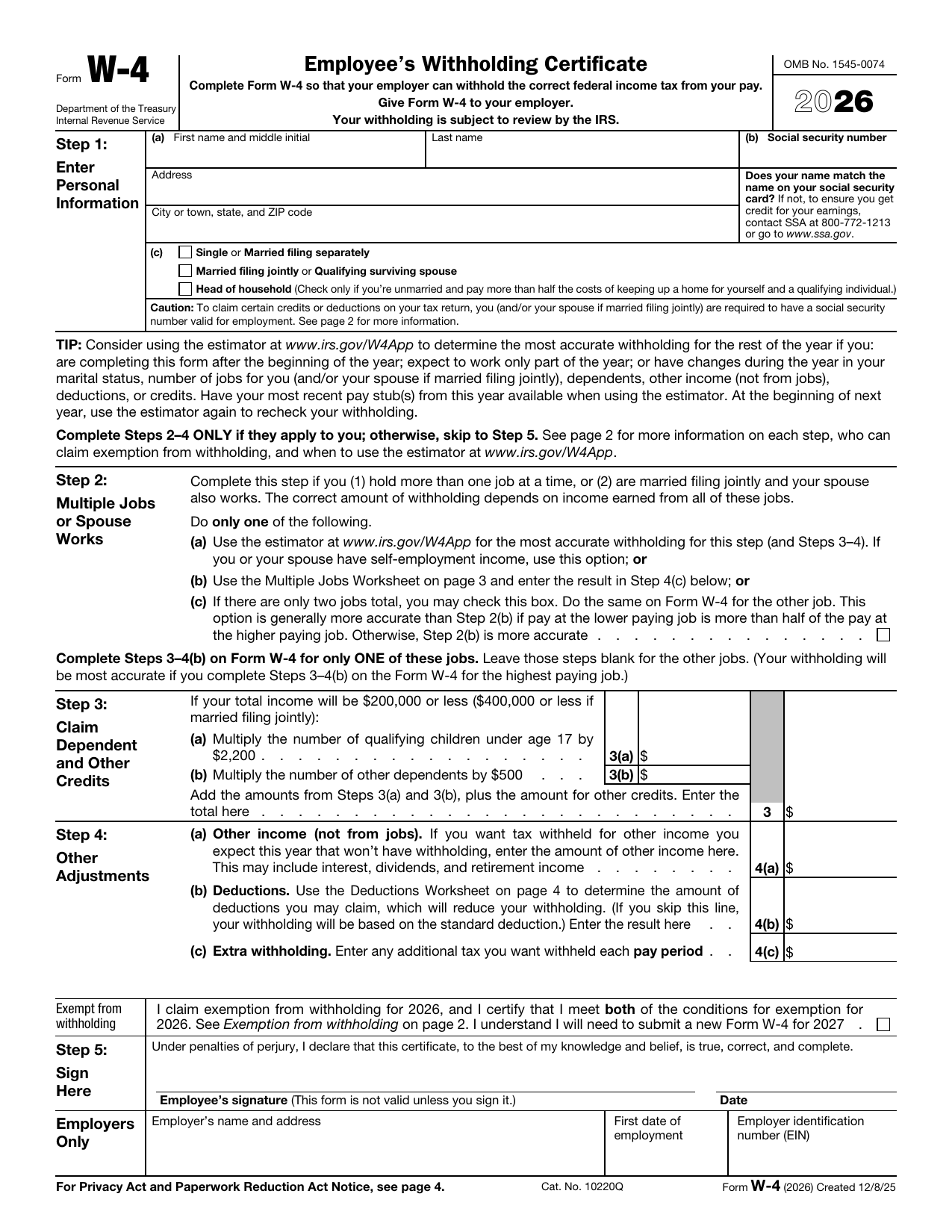
Form W-4, Employee's Withholding Certificate, is an IRS form you give to your employer so they can withhold the right amount of federal income tax from your paycheck. You complete it; your employer keeps it and uses it to set your withholding.
The form was redesigned to use plain steps instead of withholding allowances. The version loaded here is the 2026 Form W-4, the current template.
What is a W-4 form used for?
A W-4 tells your employer how much tax to hold back from each paycheck. Here is what it does:
- Sets your federal income tax withholding based on your filing status and situation.
- Accounts for multiple jobs or a working spouse so enough tax is withheld.
- Lets you claim dependents and other credits to lower your withholding.
- Lets you add extra withholding or claim exemption when it applies.
What information is required?
Before you start, have the following ready:
- Your full legal name, as shown on your Social Security card.
- Your Social Security Number (SSN) and address.
- Your filing status (single, married filing jointly, or head of household).
- Details of any second job or your spouse's job, if either applies.
- The number of dependents you plan to claim and any other income or deductions.
The five steps of the W-4
The W-4 is organized into five steps. Only Steps 1 and 5 are required for everyone; complete Steps 2 to 4 only if they apply to you:
- Step 1: enter your personal information and filing status.
- Step 2: complete this if you hold more than one job or your spouse also works.
- Step 3: claim your dependents and other tax credits.
- Step 4: add other income, deductions, or any extra withholding you want.
- Step 5: sign and date the form to make it valid.
How to fill out a W-4
Open the form above and work through it step by step:
- Step 1: enter your name, address, SSN, and check your filing status.
- Step 2: if you have more than one job or a working spouse, follow the option that fits and check the box if you use it.
- Step 3: multiply your qualifying children and other dependents as the form directs and enter the total.
- Step 4: enter other income, deductions, or extra withholding only if you want them applied.
- Step 5: sign and date to certify the form.
The editor guides you field by field, so the steps that do not apply to you stay blank.
Who needs to fill one out?
You generally complete a W-4 when:
- You start a new job as an employee.
- Your filing status changes, such as getting married or divorced.
- You gain or lose a dependent.
- You take a second job or your spouse starts working.
- Your refund or balance due last year was larger than you wanted.
If you are an independent contractor rather than an employee, you fill out a Form W-9 instead, not a W-4.
Claiming exemption from withholding
You can claim exemption from federal income tax withholding only if you had no tax liability last year and expect none this year. If both are true, you follow the form's exemption instructions in the space below Step 4(c) instead of completing Steps 2 through 4. An exemption is good for one year, so you file a new W-4 each year to keep it.
When to submit a W-4
Give your completed W-4 to your employer as soon as you start a job so your first paychecks are withheld correctly. There is no IRS filing date because you do not send it to the IRS. Update it whenever your personal or financial situation changes, and consider reviewing it at the start of each year.
Where to get a blank W-4
A blank, current W-4 is a public-domain document published by the IRS. You can use the official 2026 template loaded on this page, fill it in, and download it without visiting any government site or creating an account.
How to sign it online
You can sign your W-4 electronically right in the editor. Draw, type, or upload your signature, place it in Step 5, add the date, and your certificate is complete. The signed PDF is ready to hand to your employer.
lumr is not affiliated with the IRS. Form W-4 is a public-domain document of the U.S. Internal Revenue Service.