What is Schedule C?
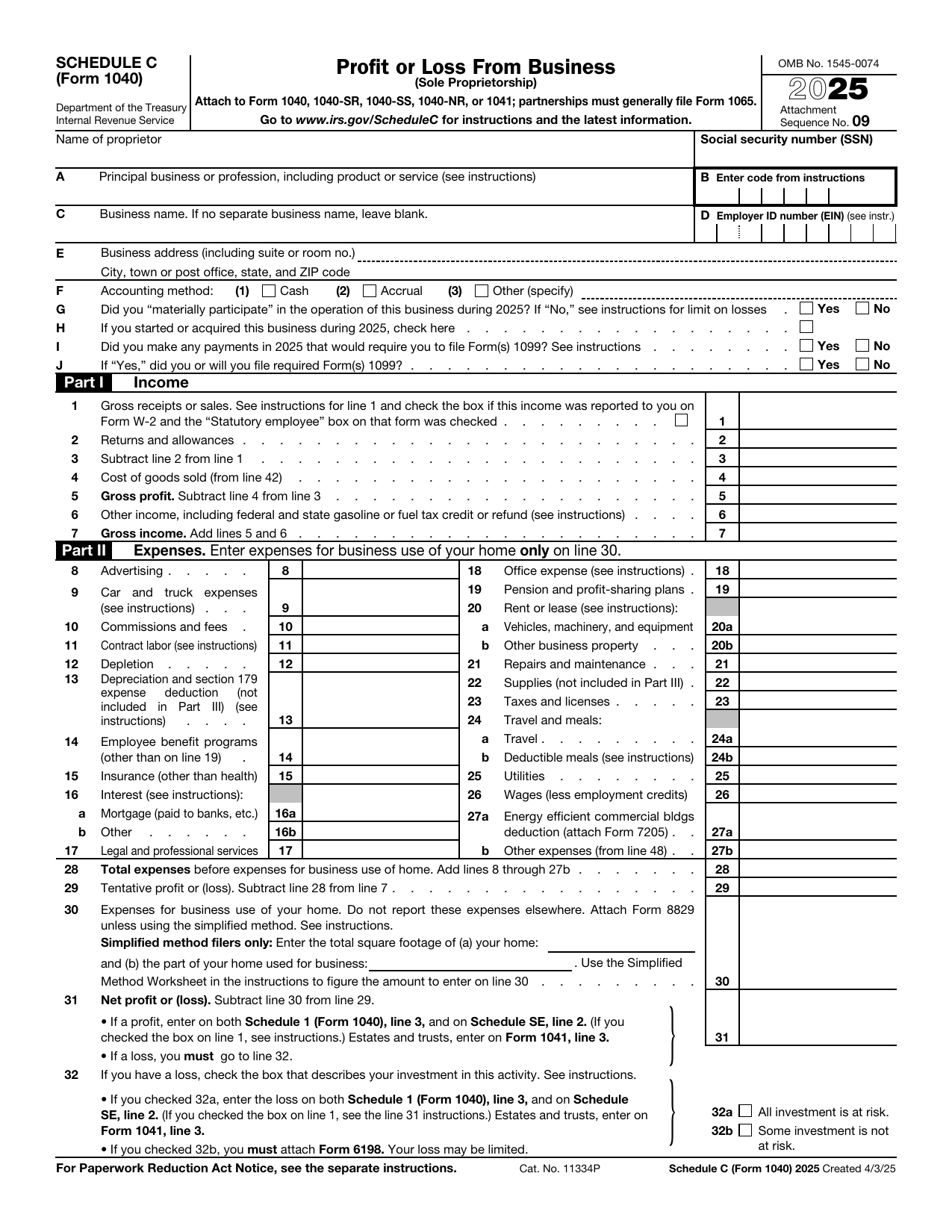
Schedule C, Profit or Loss From Business, is the IRS form sole proprietors use to report the income and expenses of a business they ran during the year. It is filed as an attachment to Form 1040, not on its own.
The bottom line of Schedule C is your net profit or loss, which carries over to your Form 1040 and, when there is a profit, to Schedule SE for self-employment tax. The version loaded here is the official 2025 tax year form.
What is Schedule C used for?
Schedule C turns a year of business activity into a single profit or loss figure. It is used to:
- Report gross receipts and sales from your business.
- Deduct ordinary and necessary business expenses by category.
- Account for cost of goods sold if you sell or make products.
- Calculate the net profit or loss that flows to your Form 1040 and Schedule SE.
What information do you need?
Before you start, gather the following:
- Your name and Social Security Number, plus your Employer Identification Number if you have one.
- A description of your business and its principal business code.
- Your total gross receipts or sales for the year.
- Records of business expenses, organized by category such as advertising, supplies, and travel.
- Inventory and purchase figures if you report cost of goods sold, and mileage records if you deduct vehicle costs.
How to fill out Schedule C
Open the form above and work through it part by part:
- Enter your name, business name, principal business activity, and accounting method at the top.
- Part I: report gross receipts, returns, and other income to reach gross profit and gross income.
- Part II: list your expenses by line, from advertising through wages and other expenses.
- Part III: figure cost of goods sold if it applies to your business.
- Part IV: provide vehicle information if you claim car or truck expenses.
- Part V: itemize any other expenses, then total them back into Part II.
- Bring the parts together to reach your net profit or loss.
The editor guides you field by field, so you can fill in each line without missing a required entry.
Reporting your business expenses
Part II is where most of the work happens. Schedule C gives each common expense its own line so you can deduct ordinary and necessary costs of running your business, including:
- Advertising, commissions, and contract labor.
- Car and truck expenses, supplies, and repairs.
- Insurance, rent or lease, and utilities.
- Legal and professional services, office expense, and travel.
- Other expenses you describe in Part V and carry back to Part II.
Keep documentation for every expense you deduct in case the IRS asks you to support it.
Who needs to file Schedule C?
You file Schedule C when you operated a business as a sole proprietor or as the single member of an LLC that is taxed as a sole proprietorship. Common filers include:
- Freelancers and independent contractors.
- Gig workers such as rideshare and delivery drivers.
- Single-member LLC owners not taxed as a corporation.
- Anyone running a side business with income and expenses to report.
When is Schedule C due?
Schedule C is filed with your Form 1040, so it follows the same deadline. For the 2025 tax year that is April 15, 2026, moving to the next business day when the date lands on a weekend or holiday.
If you request an extension to file your 1040, it also covers Schedule C. Remember that an extension to file is not an extension to pay any tax you owe.
Where to get a blank Schedule C
A blank, current Schedule C is a public-domain document published by the IRS. You can use the official 2025 tax year template loaded on this page, fill it in, and download it without visiting a government site or creating an account.
How to complete it online
You can fill in and finalize your Schedule C right in the editor. Type your figures, place your signature on your Form 1040, and add the date. The completed PDF is ready to attach to your return.
Where to send Schedule C
Schedule C is not filed on its own. You attach it to your Form 1040 and submit them together, either by e-filing through a tax provider or by mailing the paper return to the IRS address listed in the 1040 instructions for your state.
lumr is not affiliated with the IRS. Schedule C (Form 1040) is a public-domain document of the U.S. Internal Revenue Service.